

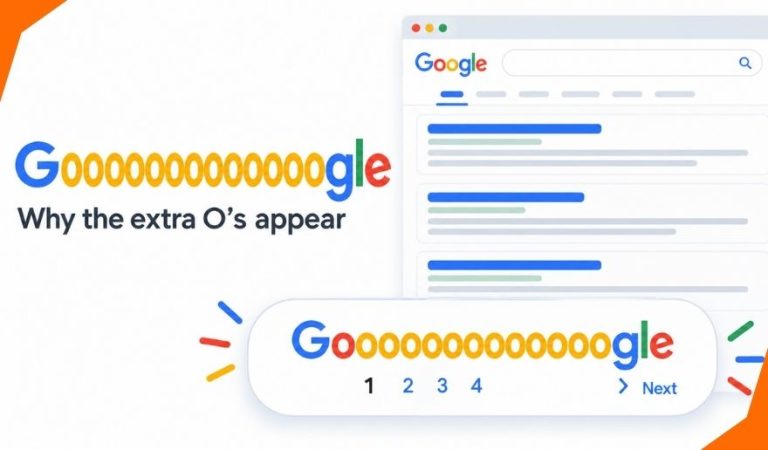
You may have noticed a long version of “Google” near the bottom of a search results page. Its row of extra “o”s looks playful, but it also points to a practical part of searching: moving from one page of results to another.
People type Gooooooooooooooogle when they want to know what those letters mean, why the spelling changes, or where the familiar row has gone. The exact number of “o”s can differ, so several stretched spellings may refer to the same idea.
This guide explains the design in simple terms. It also shows how to reach more results when the letters are visible, what to do when they are not, and when changing your search is more useful than opening another page.
What Does Gooooooooooooooogle Mean?
In the context of search results, the stretched spelling is a playful version of Google’s name associated with navigation near the end of a results page. It is easy to mistake it for a special site or a hidden search mode. It is neither. If page links appear with the letters, those links let you continue browsing results for the search you have already made.
The distinction matters because the spelling itself does not improve a search. Adding more “o”s to the name will not reveal a secret collection of websites. The useful feature is the navigation beside or beneath the letters. You can use it to move forward, return to an earlier page, or choose a page number when those choices are available.
Why Are There So Many O’s?
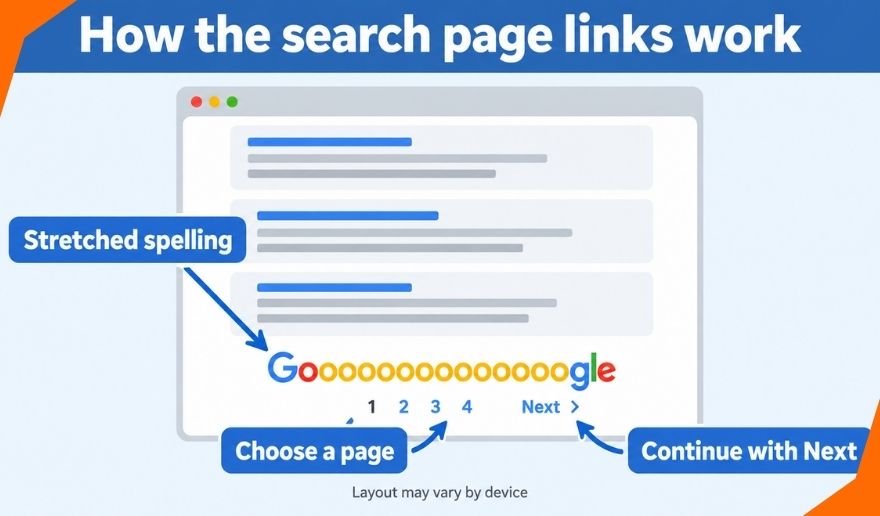
The repeated letters make a familiar name fit across a row of page links. In versions of the design that show numbered pages, the “o”s help turn ordinary pagination into something people remember. You may see people write Gooooooooooooogle or Goooooooooooooooogle when talking about it. Those versions differ in length, but they usually point to the same stretched-name idea.
There is no useful “correct” number of letters to memorize. The number visible in a search interface may depend on the links being shown, and the spelling someone types in a post may simply be an approximation. When reading about the feature, focus on what the writer means: the distinctive row at the end of some Google results pages.
How Does the Page Navigation Work?
A search can produce more results than one screen or page displays. When Google offers another page, it may show numbered links, a “Next” control, or another way to load more results. In the familiar stretched-name layout, the letters sit with the page navigation. Selecting an available page link opens another portion of the results for your current search.
A later page is a continuation, not a new search for a different subject. Still, do not assume that a particular result will always remain on the same page. Search results can change, and Google may present them differently according to factors such as location, language, and settings. If you need to find a useful page again, save that page directly instead of relying on its position in the results.
How to Find and Use the Stretched Spelling
On a desktop browser, make a search and scroll to the end of the results that Google has displayed. Look for page numbers, “Next,” or the stretched Google design. If numbered links are available, choose the page you want. If only “Next” appears, use it to continue. To return, use an available earlier-page link or your browser’s Back button.
There is nothing to install or turn on specifically for the spelling. It is part of a results layout when Google displays that layout. You do not need a special account to use ordinary search page links. The visible controls are more reliable than instructions that tell you to look for a particular number of “o”s, because the design you see may differ.
Why Might It Look Different on a Phone?
A narrow phone screen gives Google less room for a long row of letters and numbered links. Mobile results may instead emphasize a button or another compact way to continue. Google has also changed how additional results load over time; it introduced continuous scrolling on mobile in 2021. As a result, a screenshot from one year or device may not match the page in front of you.
If you cannot see Gooooooooooooooogle, look for the action it represents rather than the exact design. Scroll to the end of the current results and check for a page number, “Next,” or an option to show more. Different searches can also present different kinds of results, so the controls around a web search may not resemble those around images, places, or other content.
When Is Another Results Page Worth Opening?
Opening another page makes sense when the first results are relevant but have not answered your question. For example, you might be comparing several explanations of a topic, looking for a less prominent source, or checking whether a specific document appears farther down. Page links let you keep exploring without changing the words you entered.
There is a limit to that approach. If the first results are mostly about the wrong subject, later pages may give you more of the same. In that case, change the search itself. Add a distinctive name, place, date, or document type. If you are looking for a particular phrase, try quotation marks around it. A clearer search often saves more time than repeatedly choosing “Next.” Google provides filters and advanced search options for narrowing results.
What Are the Benefits and Limits?
The stretched design makes a routine control easy to recognize. Numbered links, when shown, also give you a simple way to move among available result pages. That can be helpful if you are checking several sources and want to return to the part of the results you were browsing.
Its limits are equally simple. The letters do not tell you how many useful pages exist, promise that every result can be reached by clicking onward, or change which pages Google considers relevant. A later page is not automatically a better or worse source. Judge each result by whether it answers your question and whether the page itself appears credible.
Why Can’t I See the Extra O’s?
First, check whether you have reached the end of the results currently on screen. If more results are available, the control may be a page number, a button, or “Next” without a long spelling beside it. A small set of results may leave you with no useful next page to open. The appearance can also vary by device and interface.
If the page behaves unexpectedly, try the same search in another browser window or on another device to see whether the layout changes. You can also refine the search and check again. Avoid assuming that the feature has been permanently removed just because one results page lacks it. If you are using a screen reader or keyboard, follow the navigation links and headings exposed by the page rather than depending on the decorative letters. Google provides guidance for navigating Search with assistive technology.
Mast Read: Mansutfer Context: Why Different Websites Define It Differently
Better Ways to Explore More Results
Page navigation is one tool, but a more focused search is often the quickest route to useful information. Start by replacing broad words with details that matter. Someone looking for a particular public report, for instance, can add the organization’s name and the year. If you want results from a certain website, Google supports the site: operator; if you need a particular file format, filetype: may help.
You can also use the filters shown with your results or open Advanced Search when you need more control. These options are especially useful when you know what is missing from the results you have already seen. They do not replace careful reading, but they can reduce the time spent moving through pages that are only loosely related to your question.
Final Thoughts
Gooooooooooooooogle is a memorable way people describe Google’s stretched spelling in search navigation. If it appears at the bottom of your results, use the available page links to continue browsing. If it does not appear, look for “Next,” page numbers, or another way to show more. When the results themselves miss the mark, make the search more specific.
FAQs
Is Gooooooooooooooogle a separate website?
The spelling alone does not name a separate Google search service. In this guide, it refers to the stretched version of Google’s name associated with results-page navigation. Treat unfamiliar websites that use a similar name as separate sites; their name alone does not establish any connection to Google.
Does each O represent a results page?
In the familiar numbered design, the letters form part of the row that presents page links. Use the visible numbers or navigation controls to choose where to go. Do not count the “o”s as a reliable measure of all the results available for a search.
How many O’s are in Gooooooooooooooogle?
There is no fixed count you need to type or remember. People write the stretched name with different numbers of “o”s, and the interface may look different from an example you have seen. The meaning usually comes from the context, not the exact spelling.
Can I click the letters to see more results?
If Google displays the stretched name alongside numbered navigation, some parts of that area may be linked to other results pages. Choose a visible page number or “Next” where available. The whole word should not be assumed to be one large link.
Why don’t I see it on my phone?
Mobile screens and search layouts can present navigation differently. Go to the end of the results and look for a control to continue, even if there is no long row of letters. The absence of that design does not mean you searched incorrectly.
Has Google removed the stretched spelling?
One search page cannot establish that it has been removed everywhere. Search interfaces change, and what you see may depend on the device and the type of results. Use the navigation controls actually displayed on your page rather than relying on an older screenshot.
Does typing the stretched spelling unlock hidden results?
No. Typing extra “o”s does not turn on a special results mode. If your goal is to find more useful pages on a subject, search for that subject with clearer details, then use the available filters or page navigation.
What should I do if there is no “Next” link?
Check for a page number or another option to show more results. If none appears, try a broader or clearer search, especially if your original wording was very narrow. You can also use filters or Advanced Search to explore the subject from a different angle.
For More News and Daily Updates Visit: Gigly Magazine
