

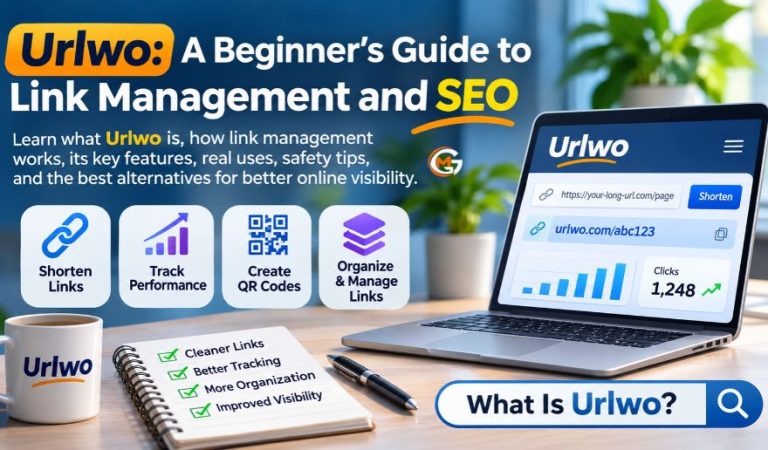
Websites depend on links to help visitors find pages and share information. Yet long addresses, broken redirects, and scattered campaign links can complicate everyday work.
Urlwo is a name appearing in discussions about digital tools and link management. Online descriptions connect it with tracking and automation, but claims are not demonstrated features.
This guide explains what is known about Urlwo, how links work, useful tools, common problems, and beginner precautions. The aim is to help readers compare real services without confusing promotional language with verified technology.
What Is Urlwo, and What Does the Name Mean?
Urlwo is best described as an emerging web name with an uncertain technical definition. A similarly named website, Urlwoo.com, publishes articles on subjects ranging from technology and marketing to education and lifestyle. Its public descriptions also promote tools for productivity, analytics, and managing online work. Promotional text does not establish a working short-link tool, dashboard, or software service. Urlwo has no accepted full form or recognized web-standard status. Readers should therefore treat descriptions of it as a link-management platform as claims that still need independent confirmation.
How Does Link Management Actually Work?
A URL is the address that tells a browser where to find a page or resource. Link management means creating, organizing, updating, and checking those addresses. A short-link service typically stores a connection between a brief address and a longer destination. When someone selects the short link, the service redirects the browser to the original page. Businesses use this to share product pages without lengthy addresses. Redirects are also used when pages move to new locations. Short links simplify sharing but do not automatically improve search visibility.
Which Urlwo Features Are Confirmed?
The public material associated with Urlwo mentions dashboards, tracking systems, customizable settings, integrations, and workflow support. A visitor-facing publication, however, is not necessarily a software application. These are broad descriptions rather than clear evidence of a functioning link-management product. Publicly available information reviewed for this guide did not establish a usable URL creation screen, published API instructions, specific service plans, or independently tested analytics. Their availability therefore remains uncertain. Before registering, seek a demonstration, data policy, and documented limits. Avoid relying on an unsupported feature list when choosing software for important links.
Core Features to Look for in a Link Management Tool
Short Links and Branded Addresses
A dependable service can turn a difficult address into something easier to share. Some providers also let users choose a memorable ending or connect a branded domain. Branded domains aid recognition but may cost extra. Check whether the destination can be edited later, especially if you plan to print a link on packaging or flyers.
Click Tracking and Campaign Reports
Many services count link visits and show patterns by date, device, or broad location. These reports help compare newsletter buttons, social posts, and advertising campaigns. Numbers are not always exact measures of people: repeated visits, automated scans, and privacy protections may change what appears in a dashboard. Understand each metric before acting.
QR Codes and Team Organization
Some platforms connect links with QR codes that people can scan using a phone. Others offer folders, labels, shared workspaces, or permissions for teams. These functions are useful when many links must be maintained, but they are not universal. Choose only features you need.
Who Benefits From Organized Links?
Small businesses can keep product promotions separate from customer support pages. Bloggers can maintain clear paths to older articles, while schools and charities may share event details across printed materials and email. Marketing teams often need separate links to understand which channel brings visitors to a campaign. Freelancers can organize client resources without confusing one project with another. These benefits do not depend on one brand. Small sites may need only a spreadsheet and regular checks. Larger teams may need controlled access, reporting, and records of changes. Keeping one person responsible for each important link can prevent confusion when team members leave or campaigns end.
Mast Read: Thealitekeepsafe.com: A Helpful Guide to Online Safety and Privacy
How to Create and Manage Links Step by Step
Start with the destination: open the page yourself and confirm that it works on a phone and computer. Next, select a reputable provider with understandable terms and a clear privacy policy. Add the address, choose a short name if that option exists, and save the result in an organized list. Test the new link in a private browsing window before sharing it widely. Record each campaign link’s purpose, owner, and destination. Check it again after website changes. These steps are not instructions for a verified Urlwo dashboard. Never assume that a link can be edited or recovered without checking your provider’s rules.
Better Website URLs and Search Visibility
Good page addresses are descriptive, stable, and easy to understand. A descriptive plant-care path beats a string of numbers. Use ordinary words and hyphens where appropriate. Avoid needless parameters and changing working addresses for appearance alone. When a page permanently moves, a suitable permanent redirect can guide visitors and crawlers to the new location. If several addresses display substantially the same content, a canonical signal can indicate which version you prefer. Search engines still assess the content and the site itself; attractive URLs alone cannot guarantee higher placement. Use descriptive text for internal links so visitors understand the next page before clicking.
How to Track Link Performance Without Confusion
Decide what success means before collecting numbers. A shop may care about completed orders, while a newsletter writer may watch sign-ups. Link clicks show interest, but they do not prove a purchase or a meaningful visit. Campaign tracking parameters can help distinguish where visitors came from when paired with a properly configured analytics system. Watch for bots and repeated visits. Avoid collecting personal details unless they are needed, disclosed, and handled lawfully. Reports should answer real questions, not just display statistics.
Safety, Privacy, and Reliability Checks
Shortened links can conceal their final destination, so users should be cautious with unfamiliar messages. Check ownership, data collection, account protection, and service-shutdown policies. HTTPS protects data in transit, but it does not prove that an unfamiliar business is trustworthy. Marketing claims about strong encryption or strict privacy should be supported by meaningful policies and technical details. Urlwo’s described capabilities remain unverified. Do not submit passwords, private customer records, or payment information merely to test an uncertain service. If a short-link provider goes offline, people may lose access to destinations even while the original pages remain available.
Common Link Problems and Simple Fixes
A link that opens an error page may contain a typing mistake, point to deleted content, or depend on a service that is unavailable. Check the original destination first, then test any redirect separately. A loop occurs when addresses keep sending the browser back and forth; it usually requires correcting the redirect rules. If click totals look wrong, consider automated security scans, reporting delays, and different definitions of unique visits. Test printed links before production. Keep a record of important destinations and check major campaigns whenever a website is redesigned or moved.
Established Alternatives Worth Considering
Bitly offers short links, branding options, and performance reporting, with access depending on the plan. TinyURL is another familiar choice for basic shortening and provides additional customization and tracking features on certain plans. Rebrandly focuses on branded links and tools for organizing marketing campaigns. All three document their products, but plans can change. Compare link limits, domains, reporting, and cancellation terms. For simple website navigation, your existing publishing system may already provide everything necessary. Test any free plan with a low-risk link before moving long-term campaigns or customer-facing materials onto it.
Final Thoughts
Urlwo is associated online with digital productivity and link-related claims, but its status as a working link-management service remains unclear. The useful lesson is broader: clear addresses, reliable redirects, careful tracking, and routine maintenance make links more effective. Select tools whose features you can verify, protect information you share, and focus on making every destination helpful to visitors.
FAQs
1. What is Urlwo used for?
Urlwo appears in online descriptions of productivity and digital management. Some descriptions also connect it with link handling. However, a publicly demonstrated URL-shortening product has not been clearly verified, so specific uses should not be treated as confirmed.
2. Is Urlwo a real link management platform?
An associated website exists, but that does not establish software. Public descriptions alone do not establish a working link dashboard, customer account tools, or supported integrations.
3. Does Urlwo have a full form?
No official expansion is established; explanations vary. Unless the operator publishes a clear definition, it is safer to treat Urlwo as a name rather than an acronym.
4. Can Urlwo shorten and track links?
That capability has not been independently confirmed through a clearly documented public tool. If you need link shortening or click reports today, use a provider that demonstrates those features and explains its data collection practices.
5. Will using Urlwo improve Google rankings?
There is no evidence that adopting the name or a service associated with it will raise rankings. Clear page addresses and sensible redirects can support navigation and crawling, but useful content and sound site management remain essential.
6. Is Urlwo free to use?
A verified pricing structure for a standalone Urlwo link-management product has not been established. Do not assume that account access, reports, custom links, or business features are free without checking an official and current product offer.
7. Is Urlwo safe for business links?
Promotional claims cannot guarantee security. Before using any unfamiliar tool for business campaigns, verify ownership, privacy terms, account protections, and the ability to retrieve or replace important links.
8. What are good alternatives to Urlwo?
Bitly, TinyURL, and Rebrandly are established options for creating shorter links. Their customization and reporting tools differ by service and plan. Compare reliability, pricing, privacy, and link access after cancellation.
For More News and Daily Updates Visit: Gigly Magazine
