

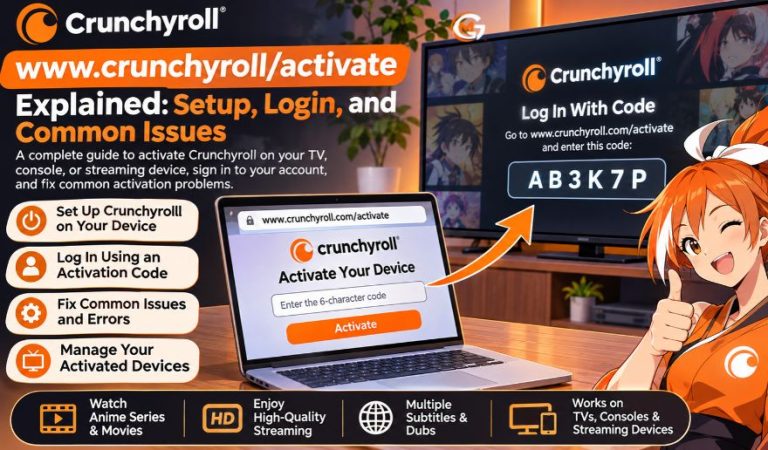
Crunchyroll lets you watch anime on TVs, streaming sticks, and game consoles. On some devices, you must connect the app to your account first. A short activation code is often easier than typing a password with a remote.
People searching for www.crunchyroll/activate usually want the code-entry screen. That address is incomplete. The official page is www.crunchyroll.com/activate, including .com. Look-alike sites may be unrelated to Crunchyroll.
This guide explains setup, supported devices, alternative login methods, and common fixes. Whether you are setting up a new smart TV or signing in after an app update, the steps are similar. It also separates account activation from Premium access.
Crunchyroll Activation at a Glance
| Detail | Information |
|---|---|
| Service | Crunchyroll |
| Main purpose | Anime streaming |
| Searched address | www.crunchyroll/activate |
| Official activation address | www.crunchyroll.com/activate |
| Activation method | Link a device to an account |
| Typical code | Six characters |
| Where code appears | Crunchyroll app on TV or console |
| Code entry device | Phone, tablet, or computer |
| Account required | Yes, for app login |
| Premium required to sign in | No |
| Smart TVs | Supported Samsung, LG, and other platforms |
| Streaming hardware | Fire TV, Apple TV, and supported devices |
| Game consoles | Supported PlayStation and Xbox models |
| Other login methods | QR code or email and password |
What Is www.crunchyroll/activate?
The term refers to Crunchyroll’s device activation process, not a separate anime website or a special subscription. When the app shows an activation code, you enter it on Crunchyroll’s official activation page using another device. That connects the TV or console to your signed-in account. The missing .com in the popular search term is an important detail: typing the incomplete address may lead nowhere or produce a browser error. Activation is also different from creating an account. New users must register before they can link a device.
How Does Crunchyroll Device Activation Work?
The Crunchyroll app displays a temporary code identifying the device awaiting authorization. Enter it in a browser while signed in to your account, and the app should connect automatically. This avoids typing a password with a remote. Activation carries no separate fee and does not purchase Premium.
What You Need Before Starting
You need a Crunchyroll account, supported hardware, the official app, an internet connection, and a phone or computer. Update an old app before starting. Premium subscribers should use the account linked to their paid membership instead of creating a second account.
How to Activate Crunchyroll on a Smart TV or Console
Open the Crunchyroll app on the device you want to connect. Menu wording varies, but look for Log In, Activate With Code, or Log In With Code. Once the app displays its code, keep that screen open while you complete these steps on your phone or computer:
- Open your browser and type www.crunchyroll.com/activate carefully.
- Sign in to your Crunchyroll account if prompted.
- Enter the six-character code shown on the television or console.
- Select Activate or the confirmation option displayed.
- Return to the original device and allow the app to finish signing in.
If the television stays on the code screen, give it a moment, then reopen the app. Do not reuse an old code after starting a new login session. The official activation page also may be reached through Settings, Device Management, and Activate Device when you are already signed in on the website.
Mast Read: icpfit: false Explained: Ideal Customer Profile and Lead Matching
Other Ways to Log In Without Typing a Code
Scan a QR Code
Supported consoles and streaming devices may display a QR code. Scan it with your phone. The Crunchyroll mobile app may request confirmation, or a browser may open a sign-in page. Check the destination before entering credentials and authorize only a device you recognize. This avoids typing with a remote.
Enter Your Email and Password
Some apps allow direct email-and-password login on your TV. This helps when code or QR login is unavailable, although on-screen typing is slower. Check capitalization carefully and sign out on shared televisions. Options vary by device and app version.
Which Devices Support Crunchyroll Activation?
Smart TVs and Streaming Devices
Crunchyroll supports many Samsung and LG TVs, Android TV, Google TV, Fire TV, and Apple TV devices. Samsung models from 2017 onward are supported when they meet the required Tizen version. Older hardware may lack the app or a certain login method. Roku also has a Crunchyroll app, but its sign-in screens can differ. Check your device’s official app store.
Gaming Consoles and Other Options
Supported PlayStation and Xbox consoles run Crunchyroll, and some versions offer QR login. Nintendo Switch is also listed for activation. You can watch on phones, tablets, or browsers without linking a TV. Update your console software and app before retrying failed activation.
What Can You Watch After Activation?
Successful activation opens the Crunchyroll app under your account, where you can explore available anime series, movies, subtitles, and dubbed versions. The catalog changes by country, and languages vary by title. Signing in does not unlock paid content: the on-demand library and features such as ad-free streaming depend on the membership available in your region. Crunchyroll ended its former free, ad-supported on-demand tier at the end of 2025, so regular on-demand viewing generally requires Premium. Its separate free, scheduled Crunchyroll Channel remains available on selected platforms without an account. Offline downloads, where offered, depend on the plan and device. An activation code never upgrades your membership.
How to Manage Devices and Protect Your Account
If you have used Crunchyroll on a friend’s console or a hotel television, review connected devices afterward. Sign in through your browser, open Account Settings, and find Device Management. Choose Deactivate beside a device you no longer use; other signed-in devices generally stay connected. If you see an unfamiliar login, reset your password and remove any unrecognized devices. Never enter your password into a look-alike activation page or share your code with strangers. The code is intended only to authorize the device in front of you.
Why Is Your Crunchyroll Activation Code Not Working?
Invalid or Expired Code
First compare every character on your TV with what you entered. A mistyped letter or number is enough to cause an error. Codes are temporary and may stop working after you leave the login screen or restart the app. Generate a fresh code by reopening the sign-in option, then submit that new code promptly. Confirm that your phone or computer is signed in to the account you actually want to use.
Code Missing or TV Still Waiting
If no code appears, close and reopen Crunchyroll, reconnect the device to the internet, and check for app updates. If activation appears successful in the browser but the television remains stuck, wait briefly and restart the TV app. Avoid switching repeatedly between old and new login screens. Reinstalling the official app may help if the problem persists, although this can erase local settings and require another sign-in.
How to Fix Login, Loading, and Connection Problems
Activation Page Won’t Open
Check the full address first. Refresh the page, try another browser, or open a private window. Cookies, extensions, and ad blockers sometimes disrupt login. Clear cache and cookies if needed, knowing this can sign you out of websites. If multiple devices fail, check your connection or a possible service outage.
Incorrect Password or Streaming Error
Reset your password if login details are rejected. For playback errors after login, restart the TV, update the app, and check Wi-Fi. Reinstall from the official app store if necessary. Persistent problems should be reported to Crunchyroll Support with your device model, country, app version, and error details. Never post your password publicly.
Benefits, Limits, and Alternatives
Code activation saves time, reduces typing on remotes, and allows you to connect several supported screens to the same account. Its limits are straightforward: you need internet access, compatible software, and an account, and the screen code may expire. QR login is quicker when supported; password login works when direct entry is offered. You can also watch through Crunchyroll’s website or mobile app without pairing a television. Note that subscribing through a platform-specific channel, such as Crunchyroll within The Roku Channel, can involve separate billing and account rules from the regular Crunchyroll app.
Final Thoughts
The important detail behind www.crunchyroll/activate is the correct address: www.crunchyroll.com/activate. Open Crunchyroll on your supported screen, get a fresh code, and enter it while signed in to the right account. If something fails, check the address, update the app, and restart the login process before trying more complicated fixes. Activation connects a device; your membership determines what you can watch.
FAQs
What Is the Correct Website for www.crunchyroll/activate?
Use www.crunchyroll.com/activate. The commonly searched address lacks .com. Check the spelling before entering your login information or activation code.
How Do I Enter My Crunchyroll Activation Code?
Choose code-based login in the TV app. Open the official activation page on your phone or computer, sign in, enter the six-character code, and confirm. Your TV should connect.
Can I Activate Crunchyroll on My Smart TV?
Yes, on supported models. Install Crunchyroll from the TV’s app store, then use the login method shown. Older TVs may need a compatible streaming stick.
Why Does My Crunchyroll Activation Code Say Invalid?
It may be mistyped or expired. Request a new code in the app and enter it exactly as shown. Keep the current TV login screen open.
Do I Need Crunchyroll Premium to Activate a Device?
You can activate with a regular account, but watching the regular on-demand library generally requires Premium. The separate free Crunchyroll Channel is available on select platforms without device activation.
Can I Log In to Crunchyroll With a QR Code?
Yes, where supported. Scan the TV’s QR code with your phone and approve sign-in. Otherwise, use a device code or direct password login if offered.
What Should I Do if the Activation Page Will Not Load?
Check the address and internet connection. Reload, switch browsers, or test without extensions. If failures persist across devices, contact Crunchyroll Support.
How Do I Remove a TV From My Crunchyroll Account?
In Account Settings, open Device Management and select Deactivate beside the TV. Other devices generally remain signed in. Reset your password if you do not recognize it.
For More News and Daily Updates Visit: Gigly Magazine
