

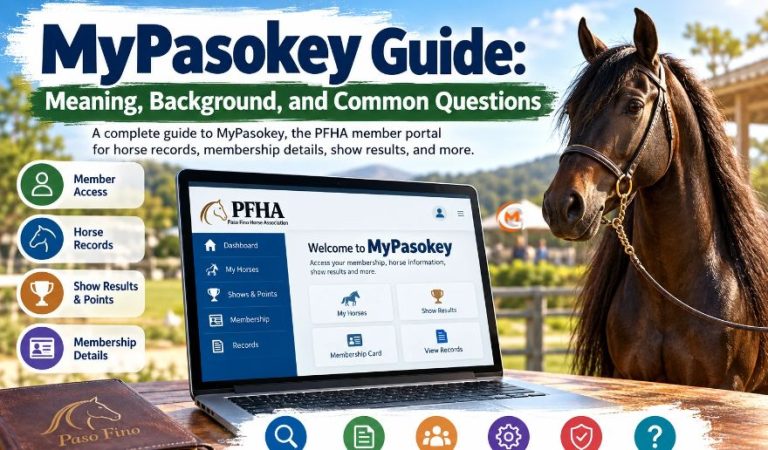
MyPasokey is a name many people see while looking for a member login, horse records, or information about Paso Fino competitions. The name can also cause confusion because it resembles “passkey,” a term used for secure digital sign-ins.
The most clearly documented MyPasoKey service belongs to the Paso Fino Horse Association (PFHA). It is connected with PasoTracker, a system used for membership information, horse records, and competition activities. That makes it different from an ordinary password manager.
This guide explains the service’s background, who can use it, what its tools have offered, and how to find reliable help. It also separates established facts from claims about software that cannot be independently confirmed.
MyPasokey Quick Bio
| Detail | Information |
|---|---|
| Name | MyPasoKey, often written MyPasokey |
| Service type | Association member portal |
| Associated organization | Paso Fino Horse Association |
| Organization abbreviation | PFHA |
| Related system | PasoTracker |
| Main audience | PFHA members |
| Horse focus | Paso Fino and related registry records |
| Common use | Membership and horse information |
| Competition use | Shows, points, and standings |
| Historic login method | Membership number and PIN |
| Official access starting point | PFHA website |
| Membership region | U.S. and international members |
| Historical mobile app | Android app by Cntinfotech |
| Current app availability | Older app not listed on Google Play |
What Is MyPasokey? Meaning and Main Purpose
MyPasokey is best understood as a member-facing service associated with PFHA, rather than a general security application. Its name appears in the association’s login route and in older instructions for working with PasoTracker. Through this wider system, members have been able to view information about their horses, check records, and follow association activities. It is not a public database where anyone can freely edit registration details. Some pages online describe an unrelated product with fingerprint recognition, password storage, and business security tools. Those descriptions lack clear official product documentation, so readers should not treat them as established features of MyPasoKey.
Background: The Paso Fino Horse Association and PasoTracker
PFHA has supported Paso Fino owners and riders since 1972. The breed is known for its smooth, natural four-beat gait, and the association works with horse registration, competitions, educational programs, and recreational riding. MyPasoKey appears in this member-service setting, while PasoTracker supplies horse and show management functions. A historical show-entry guide also places My PasoKey within a larger online process that included membership renewal and the iShowPasos entry service. However, a verified public launch date for the name is not established. The association’s history should not be mistaken for the portal’s exact start date.
Who Can Use MyPasokey?
The service is mainly relevant to PFHA members, including horse owners, breeders, trainers, youth participants, recreational riders, and show competitors. Members may need valid account details and an appropriate membership status to access private information. Older guidance describes signing in with a membership number and PIN, although the live system can change its sign-in requirements. PFHA also welcomes members outside the United States, including people linked to regional horse communities across the Americas and Europe. Nonmembers can still explore public material on the association’s website, such as breed information, membership options, show programs, and downloadable forms, without assuming they can access a member’s private dashboard.
Mast Read: Valplekar Meaning: Swedish Origins and Modern Uses
MyPasokey Login: How to Access Your Account
Begin at the official PFHA website and choose its member-login option rather than following an unfamiliar page advertising the same name. The main navigation has pointed to the PasoTracker MyPasoKey route, and the site also displays a separate members portal entry. Because more than one member service may appear, follow the label that fits your task instead of assuming all pages share the same credentials. Confirm that you reached the destination from PFHA itself before entering any private details. If an older guide mentions a membership number and PIN but your screen asks for different information, follow the instructions shown by the current official service or contact the membership office. Never guess repeatedly or give credentials to a person offering unofficial assistance.
Main Features: Membership Cards and Horse Records
Membership Details and Cards
Earlier MyPasoKey guides describe a “My Account” area for viewing or printing a membership card. Having a copy can help when preparing for a horse show or checking membership details. It is sensible to confirm the card is current, especially when a new membership year begins. PFHA’s membership year normally runs from January through December, so last year’s card may not prove that a membership is still active.
Horse Information and Pedigrees
The “My Horses” area has been used for records under the Paso Fino and Diagonal registries. Depending on the record and the current system, members may find horse details, pedigree information, and printable summaries. A screen print or information sheet is useful for checking spelling and identification, but it should not automatically be treated as a replacement for an official registration certificate. For ownership changes, missing documents, or corrections, use PFHA’s current registration process.
Shows, Competition Points, and Riding Programs
MyPasoKey documentation also describes sections for show history, classes entered, and accumulated points. Some older screens displayed lifetime totals by default, while a year selector allowed members to examine a particular season. For exhibitors, that helps when checking past participation or questioning a result. The wider PFHA system includes more than arena shows: programs cover recreational riding, competitive trail, endurance, pleasure long-distance riding, and sport horse activities. Point categories and qualifying rules can differ, so compare what appears in your account with the current program handbook. An older display is not guaranteed to reflect a newly recorded result or today’s eligibility requirements.
Practical Uses Before a Show or Membership Renewal
A member preparing for an event can review the horse’s identifying information, confirm membership status, inspect available points, and check whether the correct rider or owner details appear. Historical entry guidance also described moving from My PasoKey into iShowPasos to review schedules and submit show information. That workflow may have changed, so read the organizer’s current instructions before paying fees or requesting stalls. For renewal, first verify the membership category and your contact details. Save copies of confirmations where offered and allow time for the association to process a change. A portal is useful for preparation, but it does not replace official event rules or staff approval.
Benefits and Limitations of the Member System
The main benefit is convenience. Instead of contacting an office for every routine question, members can consult available records and understand their activity more easily. A central account can also reduce confusion about which horse or competition year a result belongs to. Yet the system has limits. Some functions may require an active membership, some historical pages may no longer exist, and records are only as accurate as the information entered and processed. A missing result is not proof that a horse never competed. Likewise, being able to view a document does not mean you can change a legal ownership record without proper forms and approval.
Common MyPasokey Problems and What to Do
Login trouble often starts with outdated account details or an old bookmark. Return to the official association site, choose the appropriate member service, and check the information you enter. If your membership has expired, renewal may be necessary before certain functions work. When records appear incomplete, check the selected year, horse, or competition category before reporting an error. If a page will not load, try a current browser or another device, and keep a note of any message displayed. Avoid sharing your PIN in screenshots sent to other people.
When You Need Direct Support
For membership concerns, PFHA lists a dedicated membership contact and an office telephone number, (859) 689-3700. Registration questions may need the registration team instead. Describe the issue, which page you were using, and what you expected to see. Staff can explain current procedures more reliably than an old unofficial tutorial.
Safety, Privacy, and the Passkey Confusion
MyPasokey should not be confused with a digital passkey. A passkey is a standards-based sign-in credential stored through a device or credential provider; it uses cryptographic keys rather than a reusable password. By contrast, the documented MyPasoKey name identifies a horse association service, not a proven passwordless-security brand. Claims that a separate product offers encryption vaults, fingerprint access, or corporate sign-on need independent confirmation before anyone trusts them.
Treat any membership login as private. Reach it through PFHA, inspect the browser address, and avoid unexpected messages requesting PINs, payments, or software downloads. A historical Android app called MyPasoKey existed, but an app archive reports that it is no longer on Google Play. Do not assume an old installation file is secure or supported. For other tasks, PFHA’s public registration forms, show information, and direct staff contacts are practical alternatives to a missing portal function.
Final Thoughts
MyPasokey has a real connection to Paso Fino membership services and the PasoTracker environment. Its useful history involves horses, membership records, and competition information—not unverified claims about a new security product. Start from PFHA’s official site, check current instructions, and contact the association when account details or records need correction. That approach is safer and more useful than relying on outdated screenshots or misleading descriptions.
(FAQs)
1. What is MyPasokey used for?
It is associated with PFHA member services. Documented uses include viewing membership details, horse records, show participation, and points. Available functions depend on the current portal.
2. Is MyPasokey an official PFHA service?
Yes, the official PFHA site includes a member-login route bearing the MyPasoKey name through PasoTracker. Use the association’s website to find the correct entry point.
3. How do I log in to MyPasokey?
Open the official PFHA website and select the relevant member-login option. Older instructions mention a membership number and PIN. Follow the current page if requirements differ.
4. Can people outside the United States use it?
PFHA has international membership options. Whether you can access a particular member function depends on your account status, membership type, and the service’s present requirements.
5. Can I view my horse’s pedigree or show points?
Historical MyPasoKey features included horse registry information, pedigrees, and competition points. If a feature is missing, check the current PFHA resources or ask the office.
6. What if I forget my membership number or PIN?
Contact PFHA through its published membership support details. Avoid entering personal information into unofficial recovery forms or sending private credentials to strangers claiming to provide support.
7. Is there an official MyPasokey mobile app?
An older Android application was listed under this name, but an app-tracking service reports it is no longer available on Google Play. Check PFHA for current mobile options.
8. Is MyPasokey a password manager or digital passkey?
The verified use is the PFHA-related member service. It is not the same as a FIDO passkey, and claims about a separate password-manager product remain unverified.
For More News and Daily Updates Visit: Gigly Magazine
