

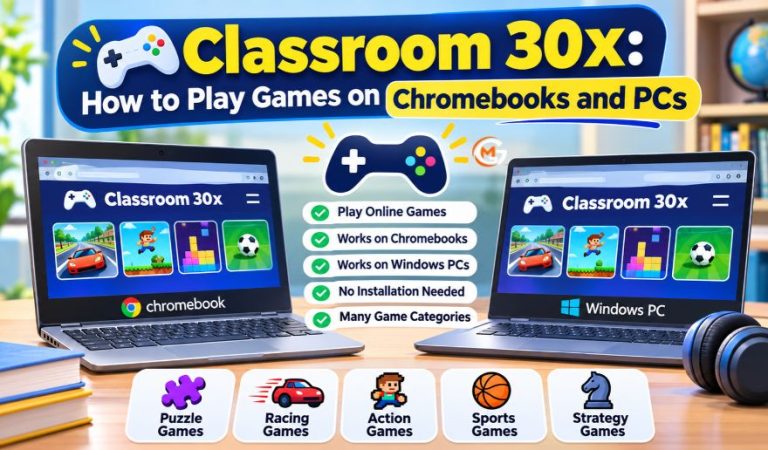
Classroom 30x is a name linked to websites offering games you can play in a browser. It interests Chromebook and PC users because many browser games start without installing separate software. Choose a title, let it load, and follow its controls.
However, Classroom 30x does not identify one clearly verified gaming company. Different websites use similar names, and their games, advertising, and features can vary. Something available on one version might be missing from another.
This guide explains how to get started on Chromebooks, Windows PCs, and Macs. You will also learn about game categories, device needs, common errors, privacy risks, and suitable alternatives. The goal is to play responsibly without putting your device or accounts at risk.
What Is Classroom 30x?
Classroom 30x commonly refers to online directories collecting browser games in one place. Visitors may find thumbnails, menus, and categories for choosing a title. Despite the word “Classroom,” these collections are generally for entertainment rather than managing schoolwork. They are not the same as Google Classroom, which teachers use for assignments and feedback. Some games involve logic or problem-solving, but the name does not guarantee educational value. Since websites using this label can have different operators, examine the actual page rather than assuming that every version shares the same features. Look for clear website information, age guidance, and privacy details before allowing younger children to play.
How Do Classroom 30x Browser Games Work?
Many games run using HTML5 and JavaScript, with WebGL supporting graphics in certain 3D titles. These technologies let a browser display gameplay without a normal desktop installer. Clicking a game may load files from another server, which explains why a directory sometimes opens while an individual game fails. Most games need an internet connection initially; multiplayer titles generally need one throughout play. A few games store scores locally, but others restart when the page closes. Search tools, fullscreen buttons, and saving options depend on the particular website and game. Older games relying on Adobe Flash generally cannot run in modern browsers without being rebuilt using supported technology.
What Do You Need to Play on a Chromebook or PC?
A modern browser, internet connection, and sufficient device memory are usually enough. Chromebooks generally use Chrome. Windows computers can also run browser games in Edge or Firefox, while Macs can use Safari or Chrome. A small puzzle might work smoothly on an entry-level Chromebook, whereas detailed 3D graphics may need more powerful hardware. Keep your browser updated and check that JavaScript is available on trusted sites. School-managed devices may limit access or lock certain settings, even when your computer otherwise meets the game’s requirements. If your laptop is already running slowly, closing memory-heavy programs before opening a game may help.
How to Play Classroom 30x on a Chromebook
Open a Permitted Website and Choose a Game
Open Chrome and find a trustworthy Classroom 30x directory that you are allowed to use. Check its address carefully because similarly named pages may be unrelated. Browse categories or use the site’s search function if available. Select an age-appropriate game, click its image, and wait for instructions to appear. Do not install unexpected extensions or enter school passwords to start a basic game. If a page insists on either, leave it. If a game opens in a separate tab, check that the new page is trustworthy before interacting with it.
Learn the Controls and Exit Properly
Click inside the game window to activate keyboard input. Follow its instructions; common controls include arrow keys, WASD, spacebar, and touchpad clicks. Use fullscreen mode only when the game offers it, and return to the menu or close the tab afterward. Some progress disappears when you leave. School networks can block the directory or a separate game host. If access is restricted, use an approved activity instead of attempting to bypass the controls.
Mast Read: SparkPressFusion.com Explained: Features, Content, and Uses
How to Play on Windows PCs and Macs
On Windows, open an updated browser, visit a permitted game directory, and select a title. Follow the game’s keyboard and mouse instructions. On a Mac, the steps are similar, although trackpad gestures and shortcuts can differ. Some games need a secondary click, which can be enabled in mouse or trackpad settings. If a game has no sound, check both the game controls and your browser’s muted-tab setting. If it fails in one browser, trying another supported browser can help identify a compatibility issue. Performance still depends on the game and your computer. On shared computers, avoid saving personal account details on unfamiliar gaming websites.
Game Categories, Controls, and Available Features
What Kinds of Games Are Available?
The selection varies by directory, but common choices include logic puzzles, arcade challenges, racing games, platform adventures, and sports-style titles. Strategy and two-player games may also appear. Choose games suited to your interests and hardware. Simple 2D titles tend to be easier on older laptops than demanding 3D games. A game built mainly for touchscreens may not feel comfortable with a mouse.
Can You Save Progress or Play Fullscreen?
Some games offer a pause button, sound settings, and a fullscreen icon, while others have only basic controls. Scores may be saved in browser storage or not stored at all. Deleting cookies or site data can remove local progress, so check how a game saves before beginning a long session. Do not assume that changing to another Classroom 30x website will carry your progress across.
How to Improve Game Speed and Performance
Close unused browser tabs and background programs when gameplay becomes slow. Update your browser and restart it if necessary. Lightweight puzzles often work better than complex action games on low-memory Chromebooks. A stable internet connection helps online content load, but it cannot solve every graphics problem. If fullscreen increases lag, return to the smaller window. Avoid installing unfamiliar “game booster” extensions; they can introduce privacy problems without improving performance. Also check whether battery-saving settings are limiting your device.
Common Classroom 30x Problems and Fixes
Website or Game Not Loading
Check whether other websites work, confirm the address, and refresh the page. The main directory may function while a game hosted elsewhere is unavailable. On your own device, verify that JavaScript is enabled for trusted sites and try another supported browser. A blank screen may also result from an extension or temporary server problem. Never download an unknown file advertised as a required repair. If only one game fails while others work normally, the issue may be with that game rather than your computer.
Lag, Frozen Screens, and Broken Controls
Close extra tabs, reload the game, or choose a simpler title. Click inside the game frame if the keyboard does not respond, then check the listed controls. Clearing browser cache can sometimes help, but deleting site data may erase saved progress and sign-ins. If the website is blocked on a school device, that is usually an access policy, not a fault you should try to defeat. Ask a teacher or administrator about permitted options.
Is Classroom 30x Safe for Students?
Safety depends on the exact page, its games, advertisements, and any embedded content. An education-style name does not prove that a website is official or child-friendly. Avoid sharing passwords, phone numbers, payment details, or unnecessary personal information. Refuse suspicious download prompts and unexpected notification requests. Parents can review the games and privacy information before younger children play. Students should follow school rules even if a gaming page opens on school Wi-Fi. A website described as “unblocked” is not automatically approved or secure.
Benefits, Limitations, and Other Websites to Try
Browser directories are convenient because many games launch quickly and require little setup. However, site names and game lists can change, advertising may interrupt play, and not every title works on every device. For established browser-game collections, Coolmath Games offers puzzles and casual challenges, while Poki has a wider entertainment selection. Scratch serves a different purpose: it lets users create interactive projects and learn basic coding through games and animation. Each service has its own content and privacy practices, and school access is never guaranteed.
Final Thoughts
Classroom 30x may help you discover games that work on Chromebooks and PCs, but it is not one consistently verified service. Choose a trustworthy website, use games that match your device, and try simple browser fixes when problems appear. Protect personal information, avoid unnecessary downloads, and respect school or workplace restrictions. Playing should be easy and enjoyable, without putting your account or computer at risk.
(FAQs)
What is Classroom 30x used for?
The name usually refers to websites that collect browser games. Visitors can choose puzzles, racing games, arcade challenges, and similar entertainment. The available titles depend on the particular website.
Can I play Classroom 30x on a Chromebook?
Many HTML5 games work in Chrome on a Chromebook. Whether a particular title runs well depends on device memory, browser support, and the network. School-managed Chromebooks may block gaming websites.
Does Classroom 30x work on Windows and Mac computers?
It can, provided the selected game supports your browser and hardware. Keep your browser current, follow the game controls, and test another supported browser if a game fails.
Is Classroom 30x free to use?
Several websites using this name offer free games, sometimes with advertisements. However, there is no confirmed universal pricing policy. Review the specific page before agreeing to payments or account requests.
Do I need to download an app to play?
Usually not. Many games launch directly inside your browser. Be careful with websites requesting unexpected installers or extensions. Such downloads are not a normal requirement for basic HTML5 gameplay.
Why is Classroom 30x not working on my Chromebook?
Possible reasons include a failed game host, slow connection, browser incompatibility, or school restrictions. Check another website, reload the page, and use only troubleshooting methods permitted on your device.
Is Classroom 30x safe for children?
Safety varies between similarly named websites. Parents should review game content, advertisements, permissions, and privacy practices. Children should avoid sharing personal details or clicking unfamiliar download prompts.
Is Classroom 30x the same as Google Classroom?
No. Google Classroom helps teachers share assignments, collect work, and provide feedback. Classroom 30x is chiefly associated with browser-game websites. Their similar names do not indicate the same ownership or purpose.
For More News and Daily Updates Visit: Gigly Magazine
