

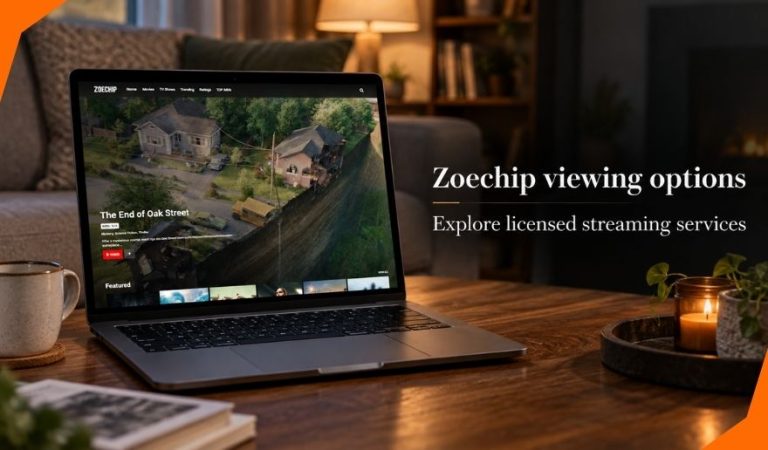
Zoechip is a name used by websites that offer free access to movies and TV shows. If you are looking for an alternative, the useful question is where you can watch through a service with an identifiable operator and clear content rights.
That choice can be harder than it sounds. A movie may be free on one service, included with a subscription on another, and unavailable in your country. Even two viewers using the same app may see different catalogs.
This guide covers free services, local broadcasters, subscriptions, and rentals. It also explains how to check where a particular title is available and what to do when a listing does not match what you see.
What to Know About Zoechip Before Choosing an Alternative
Several websites use the Zoechip name or a similar name. Their addresses, operators, and claims can differ, so it is unwise to treat every search result as one established service. A familiar name or similar design does not establish who runs a site.
For a viewer, the appeal is straightforward: search for a movie or show and start watching without a conventional subscription. The difficulty is knowing whether a particular site has permission to offer each title and what happens when you interact with its ads, links, or sign-up requests.
You do not need to settle those questions to find something to watch. Start with services that identify their operator and explain how viewers can access their catalogs. Then search for the title you want in your country.
What Makes a Streaming Service a Licensed Alternative?
A licensed streaming service offers content under rights granted by a studio, distributor, broadcaster, creator, or other rights holder. Those rights may cover specific countries, viewing methods, and periods. That is why a legitimate service can carry a film this month and remove it later.
Free access does not automatically mean unauthorized access. Some services pay for content through advertising. Others are supported by broadcasters or offer a limited free selection alongside paid programs.
When evaluating an unfamiliar option, look for an identifiable company, clear terms, a privacy policy, and a consistent route to its app or website. These signals help you understand the service, but they cannot prove that every title on every site is licensed. For a specific film or show, an established provider’s own listing is the most useful final check.
Free On-Demand Movies and Shows: Tubi
Tubi offers movies and TV programs that viewers can select and play on demand. It is supported by advertising, so watching does not require a monthly subscription. You should expect commercial breaks during playback.
The service operates in the United States and United Kingdom, among other supported markets. Its catalog varies by location. If someone recommends a film they watched on Tubi abroad, search for it in your own version of the service before making plans.
Tubi works well when you want to browse without choosing a particular title first. Open its movies or TV section, search by name or genre, and check the program page. Watching generally does not require creating an account, though an account can provide personal features such as saving titles or tracking progress.
The main trade-off is choice. Tubi cannot promise every new release or every show from a particular network. Ads are part of the free viewing model, and a title you find today may not remain available indefinitely.
Free Live Channels and On-Demand Viewing: Pluto TV
Pluto TV combines two ways to watch. Its live channels play programs on a schedule, much like traditional television. Its on-demand section lets you choose from movies and shows available to start when you want.
That distinction matters when you search for a title. Seeing a show in the live guide does not necessarily mean every episode is available on demand. Check the program’s listing to find out whether you can select an episode or must wait for its scheduled showing.
Pluto TV is a free, ad-supported service operated by Paramount. It is available in the United States and United Kingdom, along with other markets, but channels and programs differ by country. Ads remain part of the experience, and the channel lineup may change.
Choose Pluto TV if you like browsing a guide or leaving a themed channel on while you decide what to watch. If you need one exact episode at a convenient time, check its on-demand section first.
Free Streaming Across Many Regions: Plex
Plex offers free, ad-supported movies and TV shows, plus live streaming channels. Its free content reaches many countries, making it worth checking when a service recommended for U.S. or UK viewers is unavailable where you live.
Plex also has tools for organizing and watching a personal media collection. You do not need to set up a personal media server to browse its free streaming selection. The two uses share a name, which can make descriptions of the service confusing for newcomers.
Search the free Movies & Shows area for on-demand viewing, or open Live TV to browse scheduled channels. Availability still depends on location and rights. A title shown in a search result or discussed by a viewer elsewhere may not be playable in your country.
Plex may also display rentals in supported markets. Check the label on each listing before pressing play: a free, ad-supported title and a paid rental are different offers, even when they appear within the same service.
Local Broadcasters and Public Media Services
Your country’s broadcasters may offer a better route to local shows than a global movie app. Their own websites and apps often carry recent episodes, documentaries, news, children’s programs, or selected films. Some are free with ads; others have conditions tied to local broadcasting rules.
In the United States, PBS provides selected programs through its website and app. Some videos are free to watch, while availability can be limited by time or location. Other programming may require a separate membership benefit.
UK viewers can check the apps of broadcasters whose programs they want to see. Requirements differ between services. For example, access to BBC iPlayer is subject to UK TV licensing rules, so “free to open” should not be taken to mean there are no viewing requirements.
Outside the U.S. and UK, look for the broadcaster or public media organization that originally carried the program in your country. Check its own listing rather than assuming an overseas app will work internationally.
Mast Read: Mansutfer Context: Why Different Websites Define It Differently
When a Subscription, Rental, or Purchase Makes More Sense
Free catalogs are useful for browsing, but they may not have the exact film you came to watch. A paid option can save time if a particular title matters more than exploring what is available for free.
A subscription gives access to a service’s included catalog while your membership remains active. It does not mean you own the programs or that every title listed by the company is included in your plan. Some stores show rentals and purchases alongside subscription content.
A rental is usually the simpler choice for one movie you expect to watch once. Before paying, check the rental’s viewing window, playback deadline, device support, and available audio or captions. Terms can differ between stores and titles.
Buying a digital copy can suit repeated viewing, but it still comes with the seller’s account and access terms. Compare those terms with a physical copy if long-term access is your main concern. In every case, confirm the offer displayed in your country before paying.
How to Find Where a Specific Title Is Licensed
A streaming guide such as JustWatch can bring several kinds of offers into one search: free viewing, subscriptions, rentals, and purchases. It is a discovery tool, not the service that plays every title it lists.
Select Your Country and Search the Exact Title
Set the guide to your country before searching. Film and TV rights change across borders, so a U.S. result may send a UK reader to an unavailable offer. Include the release year if several movies share a name.
Use the filters to narrow the results to free services, subscriptions you already have, or rentals. For a series, check the season as well as the show title; different seasons may have different offers.
Confirm the Price and Availability With the Provider
Open the provider’s own listing before deciding where to watch. Check whether the title is playable, which episodes are included, and whether the displayed price is a rental, purchase, or subscription charge.
Streaming guides can help you find a lead, but catalogs change. If a guide and the provider disagree, rely on the provider’s current listing for the offer you can actually use.
How to Choose the Right Service for Your Viewing Habits
Start with what you usually watch. Tubi and Plex suit viewers who want to pick from an on-demand catalog. Pluto TV adds scheduled channels for people who enjoy a television-style guide. A broadcaster’s app may be the clearest choice for a program it originally aired.
Next, weigh the cost against interruptions. Free, ad-supported services involve commercial breaks. A subscription may offer a wider selection of specific shows, while a one-time rental can be cheaper than maintaining another plan for one film.
Check practical details before signing up: whether the service operates in your country, supports your TV or phone, and offers the captions or audio you need for the title. No single service has every program. Combining one free option with occasional rentals may fit better than collecting subscriptions you rarely use.
Common Problems When Switching Streaming Services
A Movie Is Listed but Unavailable in Your Country
Distribution rights may explain the difference. First, confirm that your streaming guide is set to your country. Then search the provider directly and consider another local offer if it is absent.
Playback Fails or an App Is Unsupported
A weak connection, outdated app, or unsupported device could be responsible. Try the provider’s supported browser or another device, update the app, and check its help pages. Do not install software offered by an unrelated pop-up as a supposed playback fix.
A “Free” Listing Leads to a Rental Price
The title might have left a free catalog, or the result may be showing several offers together. Recheck the provider’s listing and look specifically for an ad-supported option. If none is shown, compare rental prices or choose another free title.
Safety, Privacy, and Legal Points to Check
Content licensing, website security, and privacy are separate questions. An established service can explain its viewing model and identify its operator, but you should still read the payment terms and consider what information you share through an account.
Use the provider’s own app listing or website to get started. Be cautious if a page asks for a browser extension, a special video player, notification permission, or card details to unlock a title described as free. Such a request warrants a closer look before you proceed.
Whether a particular stream is authorized depends on its rights and location; laws also vary by jurisdiction. A VPN does not establish content rights, remove malware risks, or make an unauthorized stream lawful. If your aim is licensed viewing, check an available offer from the provider serving your country.
Final Thoughts
Zoechip alternatives are easier to choose when you begin with the title you want and the country where you will watch it. Tubi, Pluto TV, and Plex offer different free viewing styles, while local broadcasters can be valuable for their own programs.
Try an available free service first if you are open to browsing. For a specific movie or season, use a streaming guide to find an offer, then confirm its access terms with the provider.
FAQs
Is Zoechip a licensed streaming service?
The name appears on multiple websites, and a shared name does not establish their ownership or content rights. Check the operator and licensing information of the exact site you are considering rather than assuming all Zoechip-branded pages are the same.
Can I watch movies for free on licensed services?
Yes. Services such as Tubi, Pluto TV, and Plex offer free viewing supported by ads. Their selections change, and availability depends on your country, so check the service itself for a particular movie.
Are Tubi, Pluto TV, and Plex available in every country?
No. Tubi and Pluto TV operate in selected markets, while Plex’s free streaming content reaches many countries but still has regional limits. Check each provider’s local app or website to see what is available where you live.
Do I need an account to use a free streaming service?
That depends on the service, device, and feature. Some free content can be watched without signing in, while saving a watchlist, syncing progress, or activating an app may require an account.
Why can’t I find the same movie in every country?
Streaming rights are commonly granted by territory. A provider may have permission to show a movie in one country but lack those rights elsewhere. Search using your country setting to see the offers relevant to you.
How can I check where a TV show is available legally?
Search its exact name in a streaming guide set to your country. Check the season and episode, then open the provider’s listing to confirm that the show is currently included and playable.
Is renting one movie cheaper than starting a subscription?
It can be, especially if you only want that movie. Compare the displayed rental price with the subscription cost and check how long the rental remains available after you start watching.
What should I do if a streaming link asks me to install software?
Pause before installing anything. Check whether the request comes from the streaming provider’s own website or app listing. If an unrelated page claims you need a special player or extension, leave it and find the title through an established provider.
For More News and Daily Updates Visit: Gigly Magazine
